
A PDF can serve more than one digital task, but not every format fits every job. The key question behind recastia use cases is simple: what should the audience do next? The answer tells you if they need to browse, watch, present, scan, explore, ask, or edit.
This guide organizes those choices around audience actions. It is not another feature list. Instead, it shows how recastia use cases differ when the source material, viewing context, and desired next step change.
Recastia Use Cases at a Glance
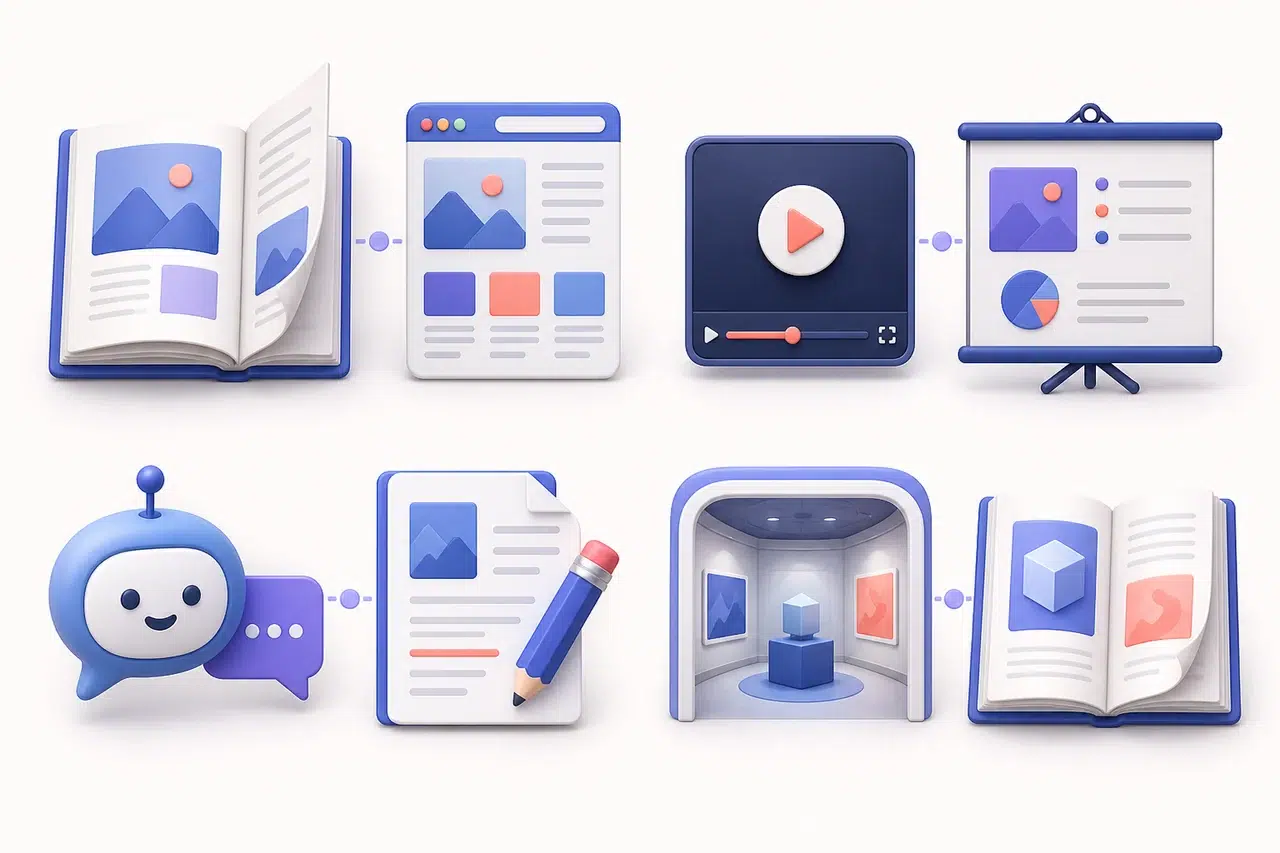
Recastia provides separate creation paths for a PDF to become a flipbook, video, presentation, website, 3D exhibition, chatbot, or editable document. Start with the audience task, then choose the format that removes the most friction from that task.
| Audience needs to… | Format to consider | Why it fits | Typical scenario |
|---|---|---|---|
| Browse a designed document | PDF to Flipbook | Keeps the page sequence and visual reading experience | Catalog, brochure, magazine, portfolio |
| Watch a guided story | PDF to Video | Controls the order and pace of the message | Campaign teaser, short overview, onboarding recap |
| Follow a speaker or lesson | PDF to Presentation | Breaks the material into a presentable sequence | Class, webinar, sales meeting, workshop |
| Scan information in a browser | PDF to Website | Makes sections and calls to action easier to reach | Event page, campaign page, product overview |
| Explore a visual collection | 3D Exhibition | Places items inside a navigable environment | Art show, archive, showcase, virtual open day |
| Ask specific questions | PDF to Chatbot | Lets the visitor begin with a question | Handbook, guide, policy reference, support material |
| Continue editing the source | PDF to Document | Produces a working file for further changes | Internal revision, data reuse, slide rebuilding |
The table is a guide, not a rank. A catalog may fit a flipbook. A short ad may need video from the same PDF.
A Fast Match for Recastia Use Cases
Use this fast check when the choice still feels vague:
- Need the full page flow? Pick a flipbook.
- Need a set pace? Pick video.
- Will a host lead the talk? Pick slides.
- Need a quick web scan? Pick a site.
- Want guests to roam? Pick 3D.
- Do readers ask one thing? Pick chat.
- Must the team edit the file? Pick a document.
- Need both depth and reach? Make two outputs.
- Is page art the main draw? Keep the page view.
- Is the next click the main goal? Build for that click.
- Want sound and motion? Choose video.
- For live control, use slides.
- For page turns, use a flipbook.
- One short answer? Pick chat.
- New copy? Choose a document.
- Keep all pages? Use a flipbook.
- Share one key point? Use video.
- Let staff edit? Use a document.
Recastia Use Cases: Choose by the Audience Task
Recastia Use Cases for Browsing: PDF to Flipbook
Choose a flipbook when the document’s page order, spreads, and visual rhythm matter. The audience can move through a catalog or brochure at its own pace while retaining the sense of reading a designed publication.
The strongest selection signal is this: readers should see most or all of the original pages. A product catalog, annual review, travel guide, or portfolio often belongs here because the layout carries part of the meaning.
Do not choose a flipbook merely because the source is a PDF. If visitors need one answer quickly, a chatbot or browser page may require less searching. If they need a tightly paced pitch, video may work better. For a practical publishing workflow, see how to turn a PDF into a digital catalog.
For more ideas on how a catalog can group pages and products, see these product catalogue examples.
Recastia Use Cases for Watching: PDF to Video
Video fits a message that should unfold in a fixed order without a presenter controlling every step. The audience presses play, then follows the selected visuals and narration. That makes it useful for a concise campaign introduction, a training recap, or an overview that must work asynchronously. If you are comparing tools, see our guide to the best AI PDF-to-video generators.
Choose it when timing matters. If a point needs ten seconds of attention before the next one appears, a timed medium can carry that pacing. It is less suitable when viewers need to jump among detailed tables or compare several pages side by side. If preserving page clarity matters, follow this guide to convert a PDF to MP4 without losing quality.
Recastia Use Cases for Teaching: PDF to Presentation
A presentation also guides people through a sequence, but the viewing situation is different. It suits a meeting, class, webinar, or sales conversation where the material supports an explanation and the speaker may pause, repeat, or discuss a slide.
Pick presentation over video when the session needs human control. Pick video when the explanation must run consistently without a presenter. The source may be identical; the delivery changes the right choice. For a step-by-step workflow, see how to convert a PDF to a video presentation.
Scan Information in a Browser: PDF to Website
A website is the better choice when visitors arrive with limited patience and need clear routes to information. Headings, short sections, and a visible next action fit campaign traffic better than a long page-by-page read.
Look for a task such as checking event details, comparing a short set of benefits, or reaching a contact or registration action. A website can foreground those priorities. It should not replace a flipbook when preserving every designed page is the point.
Explore a Visual Collection: 3D Exhibition
A 3D exhibition suits a collection that benefits from place and movement. Instead of advancing through pages, visitors navigate a virtual environment and encounter displayed items along a route. That changes the experience from reading to exploring.
The format makes sense for artwork, photography, archives, student work, or a curated product showcase. Choose it when spatial discovery adds meaning. For a document that must be read closely in a fixed sequence, a flipbook is more direct.
Ask Questions About the Source: PDF to Chatbot
A chatbot is useful when the source is long but each visitor usually needs a small part of it. Instead of scanning a handbook from page one, a visitor can begin with a question about a rule, process, schedule, or definition.
This works best as a route into source material, not as permission to stop reviewing important information. Teams should test realistic questions, check the answers against the PDF, and keep sensitive or high-stakes decisions with a qualified person.
Edit or Reuse the Content: PDF to Document
Choose a document output when the audience is an internal editor rather than an external reader. Recastia’s current converter presents Word, PPT, Excel, and image as output choices, which support different follow-up tasks.
Word suits text revision, PPT suits slide work, Excel suits information that belongs in rows and columns, and images suit page-level visual reuse. The choice is practical: select the file type the next person can actually work with. For spreadsheet work, follow this guide to convert a PDF to Excel for easier data editing. If no editing is required, publish in a reader-facing format instead.
How Similar Recastia Use Cases Differ
The hardest decisions are rarely between a chatbot and a 3D gallery. In practice, recastia use cases become easier to separate when the viewing situation is considered.
Flipbook vs Website
Use a flipbook when the designed sequence is part of the value. Use a website when visitors should scan headings, find one section quickly, and act. A 40-page product catalog points toward a flipbook; a launch page focused on three benefits and one sign-up action points toward a website.
Video vs Presentation
Video owns the timing. Presentation gives timing to the presenter. Choose video for repeatable asynchronous viewing and presentation for a live or facilitated session where questions and pauses are expected.
Chatbot vs Document
A chatbot helps an external visitor retrieve an answer. A document gives an internal user material to change. If the next verb is “ask,” consider the chatbot. If it is “rewrite,” “recalculate,” or “rebuild,” choose a document output.
3D Exhibition vs Flipbook
Both can showcase visual work, but the navigation model is different. A flipbook follows pages. A 3D exhibition follows space. Choose the exhibition only when moving through a curated environment improves the experience.
Can One PDF Support Multiple Recastia Use Cases?
Yes. Different audiences can need different experiences from the same source. A catalog might become a flipbook for detailed browsing and a short video for promotion. A visitor guide might become a website for practical details, a presentation for staff orientation, and a chatbot for common questions.
That does not require every output to carry every page. Each version should keep the facts that matter to its task and omit material that only adds friction. The source remains the reference point; the audience action determines the delivery.
A Simple Recastia Use Cases Checklist
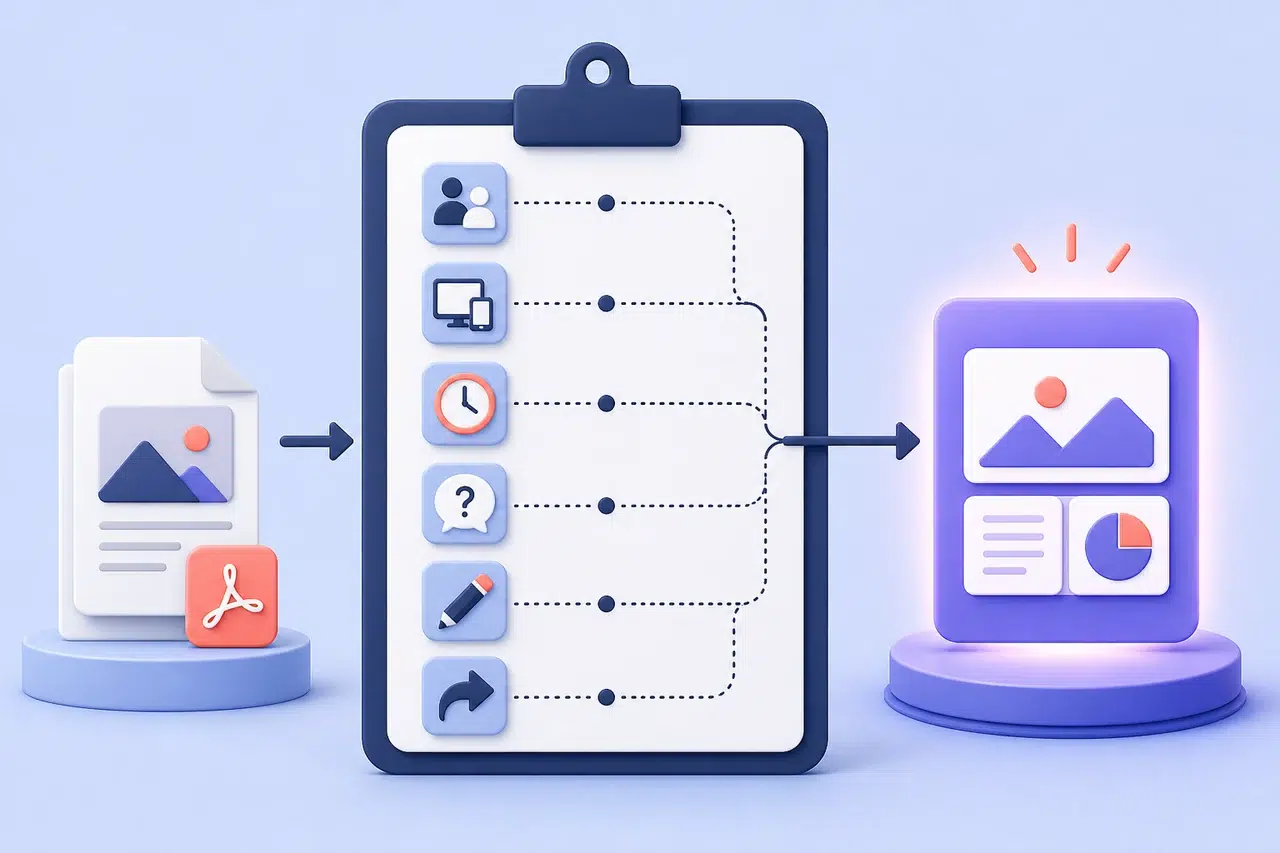
Before starting a conversion, answer these six questions. This keeps recastia use cases tied to a concrete viewing task rather than a favorite format.
- What should the audience do? Browse, watch, present, scan, explore, ask, or edit?
- Where will they view it? Phone, desktop browser, shared screen, meeting room, or immersive environment?
- Who controls the pace? The viewer, a presenter, or a fixed timeline?
- How much detail must remain easy to reach? Every page, selected highlights, or answers to individual questions?
- Does the output need further editing? If yes, choose a working document before a publishing experience.
- What is the next action? Read on, share, contact, register, discuss, or revise?
If two formats still look equally suitable, create a small representative section first and review it in the real viewing context. The right choice becomes clearer when someone tries to complete the intended task.
Conclusion
The best recastia use cases begin with a verb. Browse suggests a flipbook. Watch suggests video. Present, scan, explore, ask, and edit each point to a different output. Starting with that action keeps the format tied to a real audience need.
Use this decision framework before opening a creation path. When recastia use cases are separated by audience task, one PDF can support several useful experiences without forcing every reader into the same container.
Bring Your PDF to Life With Recastia
Create, customize, and share your content in a more engaging way.
Frequently Asked Questions
A flipbook is often the strongest choice when readers should browse the full designed catalog. For a small selection and one clear action, a website may fit better.
A flipbook preserves page order and publication-style browsing. In contrast, a website fits visitors who need short sections, browser navigation, and a clear next step.
Video works when the experience should play at a fixed pace without a presenter. A presentation works when a person will guide the sequence, pause for discussion, or teach from the material.
Yes. One source PDF can support different outputs for different audiences. Each output should have a distinct job, such as detailed browsing, short promotion, live teaching, or quick reference.
A chatbot can help visitors begin with a specific question about a long source document. Test likely questions against the PDF and keep the original material available for context.