
You’ve finished your brochure, but sharing a PDF attachment isn’t how you want readers to browse it. Converting a PDF to flipbook free of charge gives you a page-turning version you can share through a link.
This guide shows you how to convert a PDF to flipbook free with Recastia, including what the free plan covers and which features cost extra.
Key Takeaways
- Recastia’s Free plan lets you create a hosted flipbook from a PDF and share it online.
- A link, QR code, and website embed all open the hosted publication. None is an offline copy of the flipbook.
- Page layout and text size come from your PDF. Adjust crowded pages in the source document before uploading.
- The Free plan includes Recastia branding. Branding removal and website embedding depend on the paid plan you choose.
What Can You Do for Free?
Recastia offers a $0 Free plan for creating online publications. For a finished brochure or short catalog, the basic workflow is to upload the PDF, preview the flipbook, and share its hosted address. Readers can follow that address in a browser without installing a separate reading app.
| Feature | Free Plan |
| Price | $0 |
| Pages per Upload | Up to 200 |
| Storage | 5 GB |
| Viewing Ads | No ads |
| Branding | Recastia branding remains |
Removing Recastia branding requires a qualifying paid plan. Website embedding is listed with Pro, and templates, themes, and page-turn settings are Premium Features. Choose a plan for the features you need before preparing a website embed or planning changes to templates, themes, or page-turn settings.
For current plan allowances, see Recastia pricing. A hosted flipbook suits a public brochure, a portfolio, or a guide that you want to share by URL. If you need to send a file that opens without internet access, keep the original PDF available and check offline export options separately.
How to Create a Free Flipbook With Recastia
Start with a finished PDF. The free PDF to flipbook converter uses your pages as the book’s visual content, so changes to prices, wording, or page design belong in the source document.
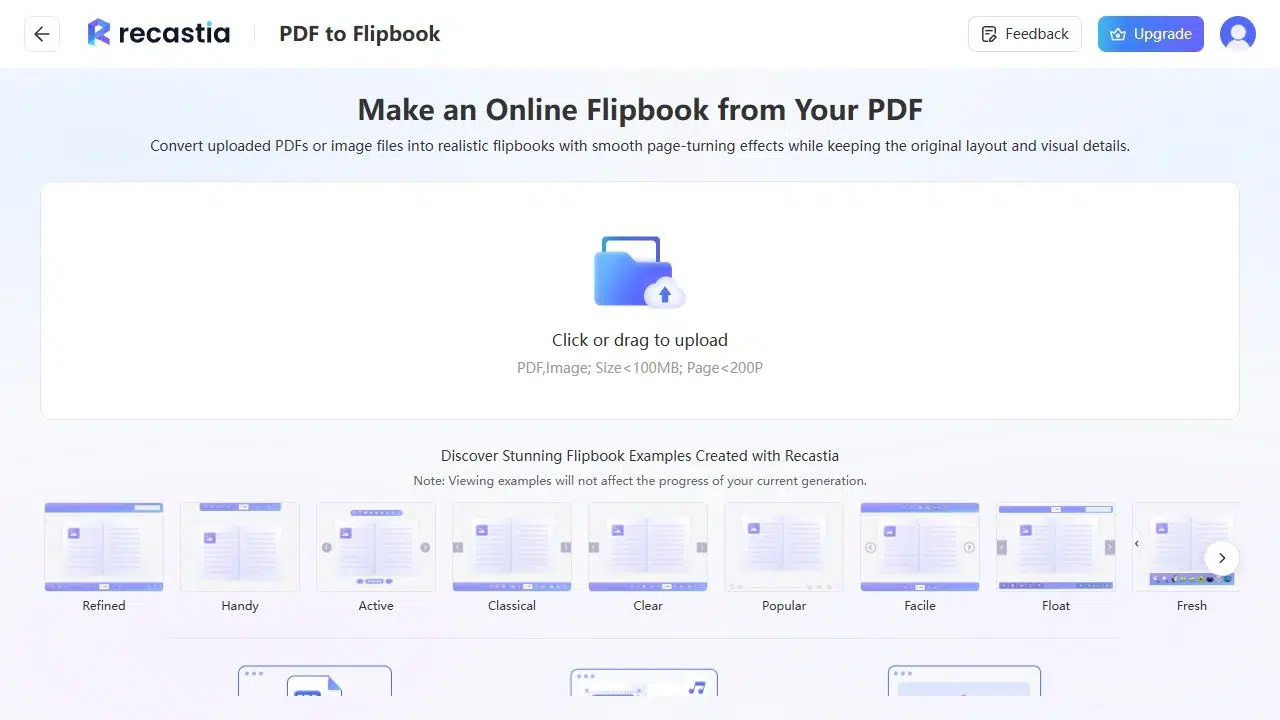
- Upload the PDF
Choose the PDF from your computer and upload it to the converter. Use the complete document you want to publish, with its cover and pages already in order. Remove blank pages left over from a print export before uploading.
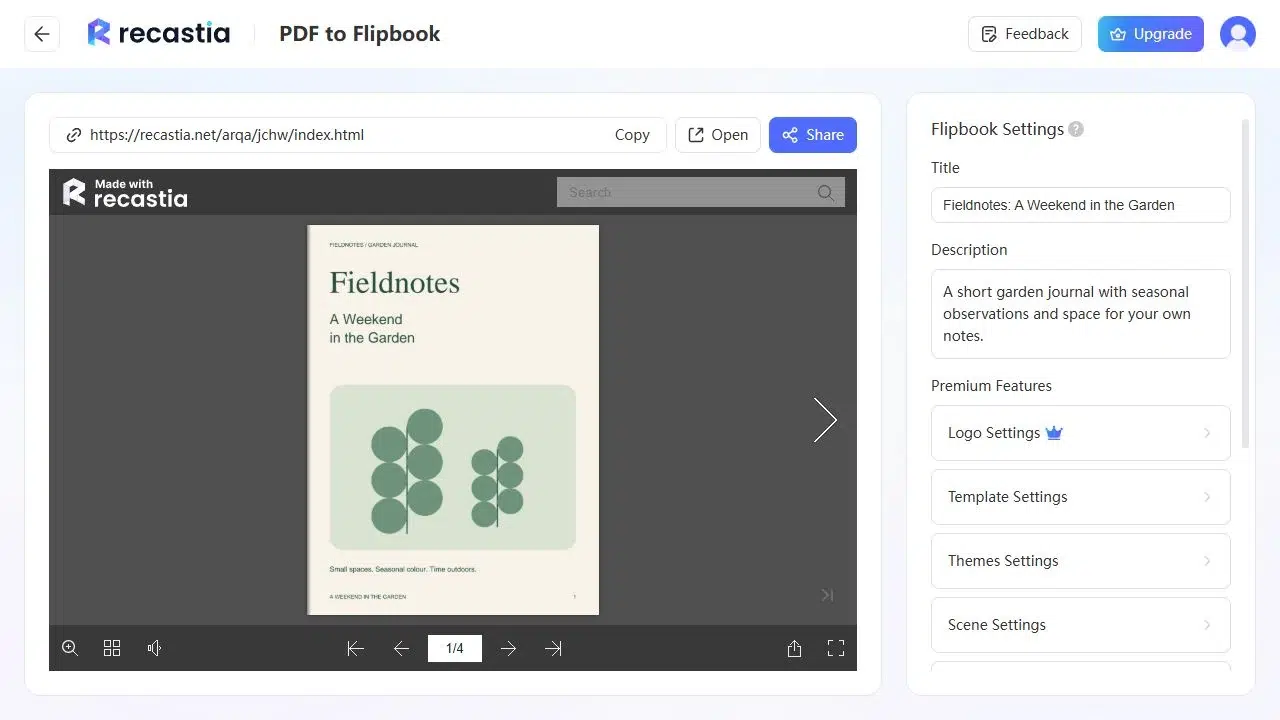
- Preview the Flipbook
Open a page with body text or a table as well as the cover: a large cover image can look clear even when the smaller text inside is difficult to read.
If a page is too crowded, revise the source PDF. For a walkthrough of the initial upload and preview, see how to view a PDF as a flipbook online. If you plan to use the premium templates, themes, or page-turn settings, the PDF page flipper settings guide explains page direction, turning speed, and page display.
- Share the Flipbook
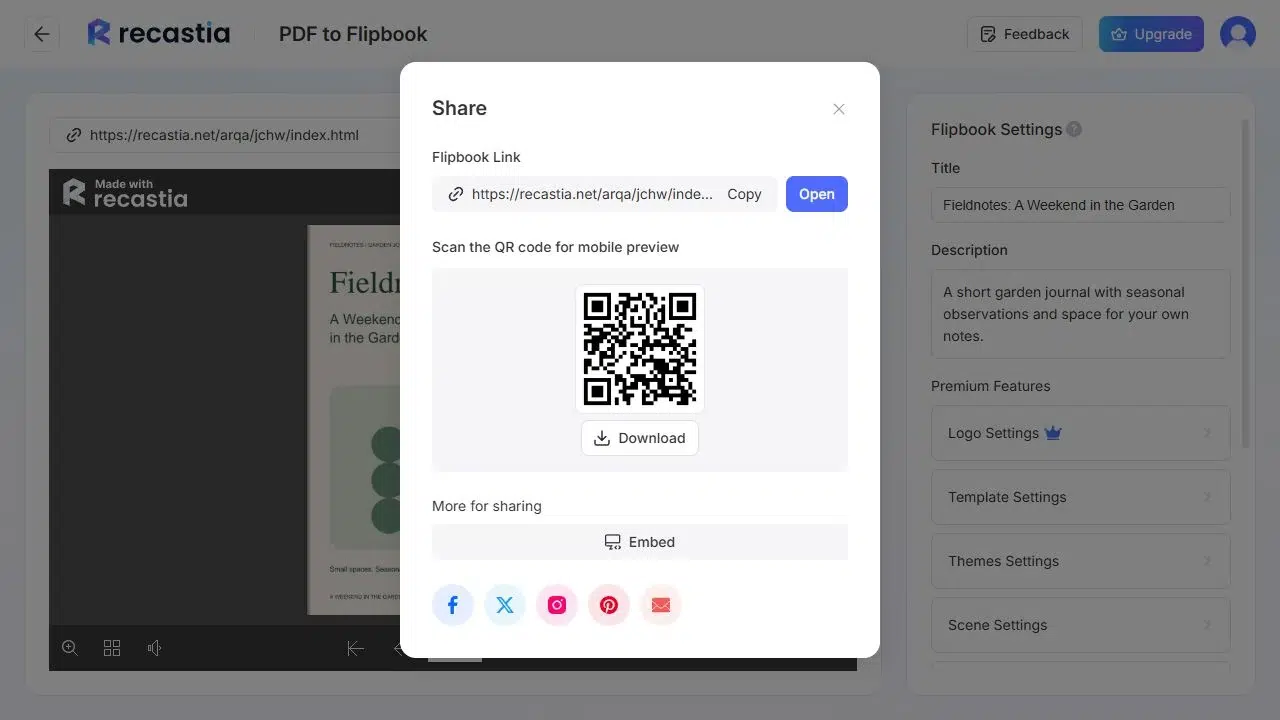
Copy the Flipbook Link to send the publication by email or message. Use its QR code on printed material so readers can scan it with their phone. Give the link a descriptive label, such as “Read the product catalog,” so people know what will open.
Choose Between a Link, QR Code, and Embed
The best sharing option depends on where people will find your publication.
| Where You Want to Share | Option | How Readers Open It |
| Email, messages, or a website button | Flipbook Link | Click to open the hosted book |
| A printed flyer, event sign, or product insert | QR Code | Scan to open the same hosted book |
| A catalog or resources page on your website | Embed with a qualifying paid plan | Read the book inside the web page |
An embed needs enough room for the pages and navigation controls. On a narrow mobile page, you can also provide a direct link beneath it so readers can open the book separately. The PDF flipbook viewer guide covers reading and embedding options in more detail.
The construction specification sheet below shows a flipbook that readers can browse online.
Prepare Pages for Online Reading
A print layout may need adjustments before it is comfortable to read on a phone. Open the PDF at a smaller window size and look at captions, table labels, and footnotes. Increase small type or move a dense table onto a separate page if readers would need to zoom repeatedly to follow it.
Keep headings and important images away from the center of a two-page spread. A heading split across two pages can be awkward to follow in a single-page view. A contents page is also useful for a longer catalog: readers can identify the section they need without examining every page first.
Frequently Asked Questions
No. Readers open the flipbook in their web browser through its link or QR code. They do not need a separate reading app.
No. The QR code points to the online flipbook, so readers need an internet connection to load it. Downloading the QR image saves the code, not the book’s pages or its interactive reader.
For corrections to wording, prices, or the page layout, edit your original document and export a revised PDF. Templates, themes, and page-turn settings change the flipbook’s appearance and reading behavior.
You can add a link to the flipbook on your website. To display the book inside the page, choose a plan that includes website embedding, then copy its embed code into a section that accepts HTML. Preview the page on a phone and a desktop, and leave enough space for the book to be read and navigated.
The flipbook uses the PDF’s page design, so conversion alone does not enlarge small text within the layout. Increase the text size in the source document if essential information is hard to read, particularly in footnotes and wide tables.
Conclusion
You can convert a PDF to flipbook free of charge to give a finished brochure, catalog, or guide an online address and page-turning navigation. A direct link works in email or messages, while a QR code gives people a way to open it from printed material.
Before you convert a PDF to flipbook free of charge, prepare the pages for the screens your readers will use and decide whether you need paid features such as branding removal or website embedding. Keep the original PDF if readers also need a file they can save and read offline.
Bring Your PDF to Life With Recastia
Create, customize, and share your content in a more engaging way.