
Optional presenter, document first

AI Avatar Video Generator for PDF & Slide Videos

Recastia can place an AI avatar on a PDF or slide video when you want a talking-head presenter. The avatar is an enhancement, not the whole product. Your pages stay the source of the picture.

  • Keep PDF or slide pages as the main visual
  • Turn the avatar on only when you need a presenter
  • Keep voiceover and captions even with the avatar off

Start with a free Recastia account.

Optional avatar MP4 download
Not an avatar studio first

Why add an AI avatar to a document video?

Some viewers want a face on screen. Others want the slides to fill the frame. Recastia lets you choose. The document workflow stays the same either way.

01

The pages remain the source

Upload a PDF or exported slides, add the script, then optionally enable an AI avatar presenter. You are not rebuilding the story around a stock presenter library.

  • PDF or images as the visual source
  • Avatar is optional
  • Voiceover and captions still available without it
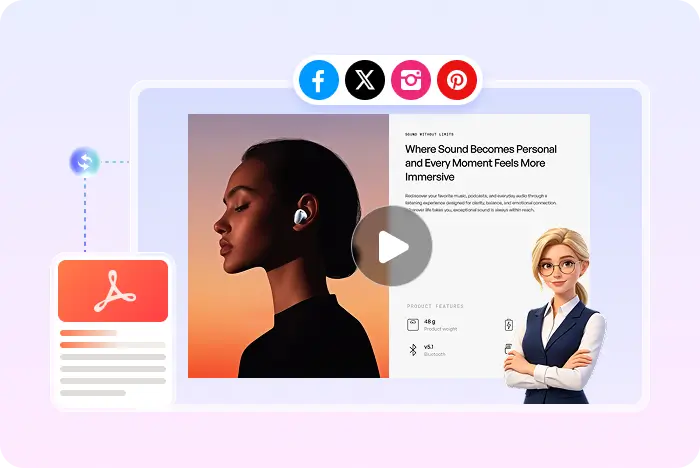
Document pages with an optional talking-head presenter
02

Talking-head presentation without a camera

A talking-head presentation usually means a person beside slides. Recastia's avatar can fill that role after you provide the script in Easy or Advanced mode.

  • No webcam recording required
  • Easy Mode: 200+ words and at least three pages
  • MP4 download when you are ready to send the file
AI Avatar Optional presenter
Optional avatar Voiceover Captions Slide pages MP4
Presenter on top of pages

How to make a PDF or slide video with an AI avatar

Comparing avatar-first studios? See the Synthesia alternative page after you understand Recastia's document workflow. Compare Recastia and Synthesia.

  1. Upload a PDF before adding an AI avatar
    Step 1

    Upload the PDF or exported slides

    Start from PDF or images. Export PowerPoint or Google Slides as PDF if that is the source.

  2. Enable an optional AI presenter on the video
    Step 2

    Add the script and enable the avatar

    In Easy or Advanced mode, add the narration and turn on the optional AI avatar if you want a presenter on screen.

  3. Download an avatar-enhanced MP4
    Step 3

    Generate and download the MP4

    Set ratio, effects, voice, captions, and music, then generate, preview, download, or share.

Questions, answered

AI avatar video FAQ

Need to compare account options? View Recastia pricing.

Is the AI avatar required?

No. Recastia can generate a narrated PDF or slide video with voiceover and captions and leave the avatar off.

What is an AI avatar video generator here?

It is Recastia's optional presenter on top of PDF or slide pages. It is not a claim of a large custom-avatar marketplace.

Can I make a talking-head presentation?

Yes, by enabling the optional avatar after you upload pages and add a script in Easy or Advanced mode.

Does Recastia match Synthesia's avatar library size?

This page does not claim that. Synthesia publicly markets a large avatar catalog. Recastia offers an optional presenter on a document-first workflow.

What do I download?

MP4. Other video containers are not promised here.

Is it free?

You can start with a free Recastia account. Avatar availability and limits follow your plan.

Presenter optional

Add an AI Avatar Only When the Video Needs a Face

Keep the PDF or slides central, turn the presenter on or off, then download an MP4.

Presenter Video Example