
Avatar studio vs document pages

Synthesia Alternative: Recastia vs Synthesia for PDF-to-Video

Synthesia is an AI video studio built around avatars, scripts, and generated scenes. Recastia is a document-first converter: PDF or exported slides stay on screen, with optional avatar, voiceover, captions, and MP4 download.

  • See how Synthesia describes PDF and text-to-video
  • Compare avatar-first and page-first workflows
  • Create a narrated video from your own PDF

Independent overview. Recastia is not affiliated with Synthesia.

Page-first video MP4 export
Brand overview

What does Synthesia do with PDFs and scripts?

Synthesia's public PDF-to-video and text-to-video pages describe uploading a document or pasting a script, then generating an avatar-led video with an editor for scenes, branding, and translation.

01

Built around AI presenters and generated scenes

Public Synthesia materials highlight a large avatar catalog, many languages, and an assistant that can start from a prompt, script, URL, PDF, or PowerPoint. Synthesia documentation notes that uploading a file writes a new script rather than speaking the original document verbatim.

  • Avatar-led AI video studio
  • PDF, PowerPoint, script, or prompt as inputs on public pages
  • Scene editor, branding, and translation marketed publicly

Source: Synthesia PDF to Video and Synthesia text to video. Reviewed August 27, 2026.

Synthesia Avatar-first studio
AI avatars Script or prompt PDF or PPT import Scene editor
02

Where Recastia takes a document-page path

Recastia uses uploaded PDF pages as the video frames. It can add an AI-generated script, voiceover, synced captions, music, effects, and an optional avatar, then download MP4. The original page layout stays visible.

  • PDF or images as the visual source
  • Optional avatar, not a claimed 240-plus catalog
  • MP4 download, preview, Recastia publish, and sharing
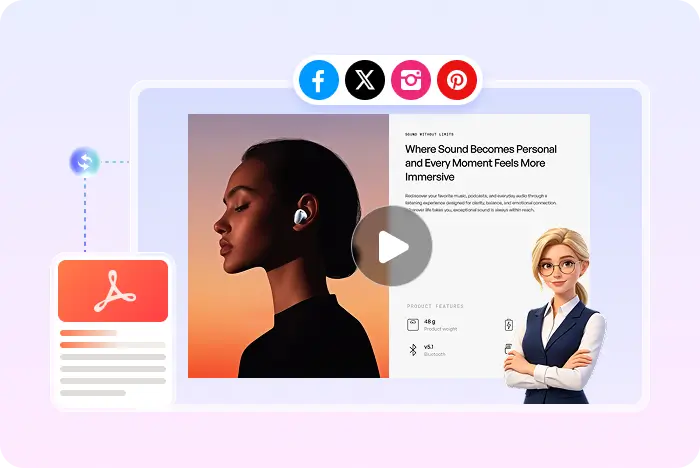
A PDF kept on screen in a Recastia video
Two different defaults

Synthesia and Recastia for PDF-to-video

Synthesia defaults to an avatar studio. Recastia defaults to the pages you already designed.

Decision point
Synthesia
Recastia
Primary purpose
SynthesiaAI video studio with avatars, scripts, and generated scenes
RecastiaRepurpose PDFs and exported slides into narrated videos
Starting point
SynthesiaPublic pages describe prompt, script, URL, PDF, PPT, or Word
RecastiaPDF or images; export PPT or Google Slides as PDF first
Document treatment
SynthesiaAssistant writes a new script and maps content to generated scenes
RecastiaUploaded pages stay on screen as the video frames
AI avatars
SynthesiaPublic pages market 240+ avatars and 160+ languages
RecastiaOptional AI presenter; this page does not claim a matching library
Voice and captions
SynthesiaBuilt-in AI voiceovers described on public pages
RecastiaNatural AI voiceover and synced captions in Easy and Advanced
Output
SynthesiaExport and publish options described publicly; confirm formats in Synthesia
RecastiaMP4 download, preview, Recastia publishing, and sharing
Best-fit use
SynthesiaTeams that want avatar-led studio videos at scale
RecastiaTeams that want the original document pages in the video

Avatar counts, language counts, and free-tier minutes are Synthesia marketing claims from public pages reviewed August 27, 2026. Confirm current limits inside Synthesia. Recastia claims on this page are limited to verified product behavior.

Choose Synthesia for

Avatar-first studio production

Use Synthesia when the video should be built around AI presenters, generated scenes, translation, and a full editor, and you are fine with a new script rather than showing original PDF pages.

Choose Recastia for

Document-page video publishing

Use Recastia when the PDF or slide layout is the asset, and you want narration, captions, optional avatar, and an MP4 without rebuilding every scene.

Explore the PDF to video workflow
Recastia document workflow

How to turn a PDF into a video with Recastia

If you want the converter page rather than this comparison, open the PDF to video converter.

  1. Upload a PDF to Recastia
    Step 1

    Upload your PDF

    Start with a PDF or exported slides and choose Minimal, Easy, or Advanced mode.

  2. Add narration and choose pages
    Step 2

    Add narration and pages

    In Easy Mode, add a 200+ word script and select at least three pages.

  3. Generate and share a Recastia video
    Step 3

    Style, generate, and share

    Choose ratio, effects, voice, captions, music, and optional avatar, then generate, preview, download, or share.

Questions, answered

Synthesia alternative FAQ

Want Recastia account options? View Recastia pricing.

What is Synthesia?

Synthesia is an AI video platform. Its public pages describe creating presenter-led videos from prompts, scripts, URLs, and documents including PDF and PowerPoint, with a large avatar catalog and translation features.

Is Synthesia a PDF-to-video converter?

Synthesia publishes a PDF-to-video tool page. Public docs say an uploaded file is used to write a new script and scene layout, rather than playing the original pages as the main visual.

What is the main difference between Synthesia and Recastia?

Synthesia is avatar- and scene-first. Recastia is page-first: the PDF or exported slides remain the frames, with optional avatar, voiceover, captions, and MP4 download.

Which tool is better for AI avatars?

Synthesia publicly markets a large avatar library and custom avatars. Recastia offers an optional presenter on a document video. Choose Synthesia when avatars are the product; choose Recastia when the document pages are the product.

Can Recastia start from a pasted script with no PDF?

No. Recastia currently needs PDF or images as the visual source. The script becomes voiceover for those pages.

Can I download a Recastia video?

Yes, as MP4. You can also preview, publish on Recastia, or share a link. MOV, MPEG, and WMV are not promised here.

Is Recastia affiliated with Synthesia?

No. Recastia is independent and is not affiliated with, endorsed by, or sponsored by Synthesia. Synthesia names and marks belong to their owner. Details here come from public Synthesia pages.

Keep the document on screen

Turn Your PDF into a Shareable Video

Add narration, captions, effects, and an optional presenter, then download an MP4.

Recastia PDF to Marketing Video Example