
Free PDF-to-video tool

Free Online PDF to Video Converter with Audio

Turn PDF pages into an engaging AI video with a natural voiceover, synced captions, background music, visual effects, and an optional avatar presenter.

  • Start from the PDF you already have
  • No coding or video editing skills required
  • Download an MP4, publish, or share

Start with a free Recastia account.

AI voiceover Synced captions
One PDF. A clearer way to watch.

Why use Recastia as your PDF to video converter?

Keep the useful content in your document, then reshape it for viewers who would rather watch than read page by page.

01

Turn static pages into a guided story

Use your PDF as the source instead of rebuilding every scene. Recastia helps organize the document into a video flow while keeping its visuals and key information at the center.

  • Reuse page visuals and document content
  • Generate a script to guide the narrative
  • Make dense information easier to follow
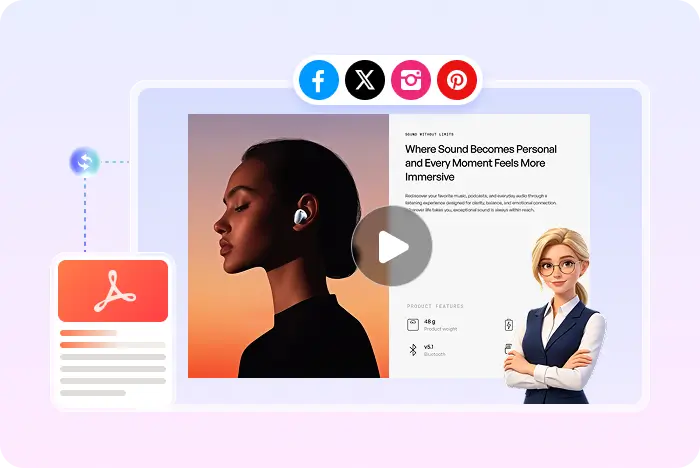
PDF content presented as an AI video
02

Add the details that make video easier to understand

Build more than a silent slideshow. Add narration and on-screen guidance so viewers can understand the message even when they are not reading every word in the original PDF.

  • Natural AI voiceover and synced captions
  • Background music and visual effects
  • Optional AI avatar presenter
AI Video Enhance each scene
Voiceover Captions Music Visual effects AI presenter
A simple workflow

How Recastia converts a PDF into video

Want a shorter tutorial with the same workflow? How to turn a PDF into a video.

  1. Upload a PDF and choose a Recastia video generation mode
    Step 1

    Upload and choose a mode

    Upload your PDF, then pick Minimal, Easy, or Advanced mode.

  2. Add a voiceover script and select PDF pages for the video
    Step 2

    Add narration and pages

    In Easy Mode, add a 200+ word script and choose the PDF pages to show.

  3. Publish and share a generated video
    Step 3

    Choose a style and generate

    Pick the look, voice, and avatar. Then generate, preview, download, or share your video.

Questions, answered

PDF to video converter FAQ

Need to compare account options? View Recastia pricing.

What is a PDF-to-video converter?

A PDF-to-video converter turns document pages into a watchable video sequence. Recastia can use the PDF as the source, then add an AI-generated script, voiceover, synced captions, background music, visual effects, and an optional avatar presenter before you download, publish, or share the result.

How do I convert a PDF to video?

Upload your PDF and choose Minimal, Easy, or Advanced generation mode. In Easy Mode, add at least 200 words of narration and select at least three PDF pages. Then choose the video ratio, visual effect, avatar, voice, background music, and subtitle style before generating the video.

Is the PDF to video converter free?

You can start with a free Recastia account. Creation limits and premium features depend on your plan, so review the pricing page if you need more capacity or advanced options.

Will Recastia keep the content from my PDF?

Your PDF is the source for the video. Recastia uses its pages, visuals, and information to build the video flow, helping you repurpose existing material instead of recreating every scene from scratch.

Can I add audio, captions, and an AI presenter?

Yes. Recastia supports an AI-generated script, natural voiceover, synced captions, background music, visual effects, and an optional AI avatar presenter for PDF-to-video projects.

Do I need video editing or design experience?

No. The workflow is designed for people who already have useful content in a PDF and want to turn it into a watchable, shareable video without rebuilding the document in a traditional video editor.

What video format can I download?

Recastia downloads the finished PDF-to-video project as an MP4 file, including convert-PDF-to-MP4 use cases. You can also preview the video, share it with a link, or embed it online. MOV, MPEG, and WMV downloads are not currently promised by this page.

Can I turn a Word document or DOC file into a video?

Save the DOC or DOCX as a PDF first. Recastia's video creator currently accepts PDF and images, so document-to-video and doc-to-video searches follow the same PDF upload path.

What is PDF to AI video?

PDF to AI video means using the PDF as the source, then adding an AI-generated script, voiceover, captions, effects, and an optional avatar. Recastia is built for that workflow rather than a silent timed slideshow only.

Can I convert a PDF to a video slideshow online?

Minimal mode is a silent page carousel. Easy and Advanced modes add narration so the result is a watchable video with audio, not only a timed slideshow. Easy Mode needs at least 200 words and at least three pages.

Your PDF is ready for a new format

Turn Your PDF into a Video

Create a watchable, downloadable MP4 from the content you already have.

PDF to Marketing Video Example