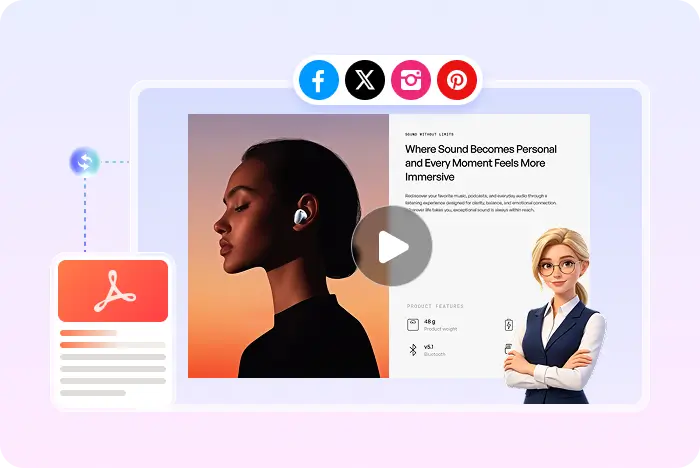
PDF to video tutorial

How to Turn a PDF into a Video

Upload the PDF you already have, choose a Recastia mode, add narration in Easy or Advanced, and generate an MP4. The pages stay on screen instead of being rebuilt as stock clips.

  • Use the PDF as the visual source
  • Add AI voiceover and captions
  • Download MP4 or share a Recastia link

Start with a free Recastia account.

AI voiceover MP4 download
A short path, not a new document

Why turn a PDF into a video instead of sending the file?

A PDF asks people to read. A short narrated video can walk them through the same pages while they watch. Recastia is built for that conversion.

01

Keep the layout you already approved

Reports, one-pagers, and slide-style PDFs already contain the visuals. Recastia uses those pages as frames rather than replacing them with unrelated stock footage.

  • Upload PDF directly
  • Select the pages that matter
  • Easy Mode needs at least three pages
A PDF used as the source of a Recastia video
02

Add audio so the pages can be watched

Easy and Advanced modes add AI voiceover and synced captions. Minimal mode only moves through pages if you want a silent carousel.

  • 200+ word script in Easy Mode
  • Optional AI avatar
  • MP4 download
Narrated Recastia video generated from a PDF
The real Recastia path

How to turn a PDF into a video

This tutorial matches the live product. For the full converter landing page, including free-account and MP4 details, open the PDF to video converter.

  1. Upload a PDF and choose a Recastia video generation mode
    Step 1

    Upload the PDF and choose a mode

    Upload the file, then pick Minimal, Easy, or Advanced.

  2. Add a voiceover script and select pages for the video
    Step 2

    Add narration and choose pages

    In Easy Mode, add a 200+ word script and select at least three PDF pages.

  3. Generate, download, and share the finished video
    Step 3

    Generate, preview, and download

    Set ratio, effect, voice, captions, music, and optional avatar. Then generate, preview, download, or share.

Questions, answered

How to turn a PDF into a video FAQ

Need to compare account options? View Recastia pricing.

How do I turn a PDF into a video with Recastia?

Upload the PDF, choose Minimal, Easy, or Advanced, add a 200+ word script and at least three pages in Easy Mode, then generate an MP4.

Can I convert a Word document the same way?

Save the DOC or DOCX as a PDF first. Recastia's video creator currently accepts PDF and images.

Is this a silent slideshow?

Only if you pick Minimal mode. Easy and Advanced add voiceover and captions.

What format is the video file?

MP4. MOV, MPEG, and WMV are not promised here.

Is it free?

You can start with a free Recastia account. Review pricing for higher limits.

The PDF is already the storyboard

Turn the PDF into a Video You Can Send

Upload, narrate, generate, then download an MP4 or share the result online.

PDF to Marketing Video Example