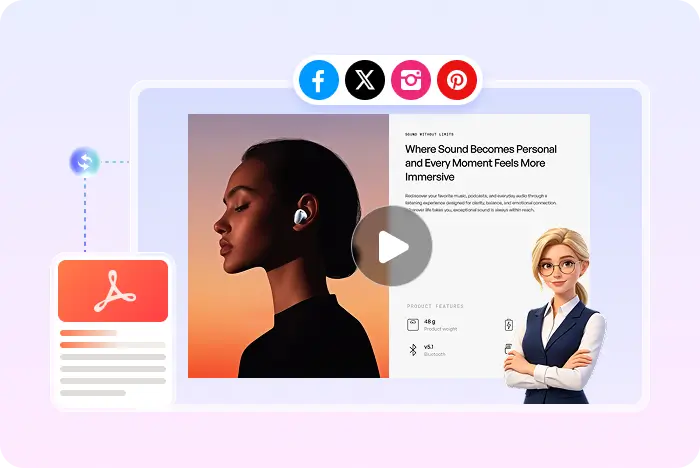
Script plus pages, not text alone

AI Script to Video Generator

Recastia can turn your script into AI voiceover, captions, and an optional presenter. It is not a script-only generator that invents the whole video from text. You still upload a PDF or images as the picture.

  • Use the script as narration, not as the only input
  • Keep PDF or slide pages on screen
  • Download an MP4 with synced captions

Start with a free Recastia account.

AI voiceover MP4 download
Honest product match

What Recastia means by script to video

Many AI tools start from a pasted script and generate stock-style scenes. Recastia starts from pages you already have, then uses the script as the spoken track.

01

The PDF is the picture. The script is the voice.

Upload a PDF or images first. In Easy Mode, enter at least 200 words. Recastia can also work from an AI-generated script, still tied to those pages.

  • PDF or images required as the source
  • Easy Mode: 200+ word script
  • At least three pages in Easy Mode
Pages on screen while a script is read as voiceover
02

Captions, music, and an optional avatar sit on top

Once the script and pages are set, you can add synced captions, background music, visual effects, and an optional talking-head avatar before generating the MP4.

  • Synced captions from the narration
  • Visual effects and music
  • Avatar is optional, not required
AI Video Voice the pages
Script Voiceover Captions Music Optional avatar
Narrate existing pages

How to turn a script into a Recastia video

If you only have slides, export them as PDF first. Need the document-first converter instead? Open the PDF to video converter.

  1. Upload PDF pages that the script will narrate
    Step 1

    Upload the pages the script will narrate

    Upload a PDF or images. Recastia does not currently start from a pasted script with no visual source.

  2. Paste a 200 word script for AI voiceover
    Step 2

    Paste or generate the script

    In Easy Mode, add at least 200 words and select at least three pages. Advanced mode offers more control over the same idea.

  3. Generate a script-narrated MP4 in Recastia
    Step 3

    Generate the voiced MP4

    Choose voice, captions, music, effects, and optional avatar. Then generate, preview, download, or share.

Questions, answered

AI script to video FAQ

Need to compare account options? View Recastia pricing.

Can I generate a video from a script with no PDF?

Not in the current Recastia video creator. You upload PDF or images first. The script becomes the voiceover for those pages.

What is an AI script to video generator in Recastia?

It is a workflow that turns a written script into AI voiceover and captions on top of existing document or slide pages, then exports MP4.

Does Recastia write the script for me?

Recastia supports an AI-generated script as well as a script you paste. Easy Mode still needs at least 200 words and at least three pages.

Is Minimal mode script to video?

No. Minimal mode is a silent page carousel. Use Easy or Advanced when the script should be heard.

What can I download?

MP4. MOV, MPEG, and WMV are not promised on this page.

Is it free?

You can start with a free Recastia account. Capacity depends on the plan.

Pages plus a script

Turn Your Script into Voiceover on Real Pages

Upload the PDF, paste at least 200 words in Easy Mode, then download a captioned MP4.

Narrated Video Example