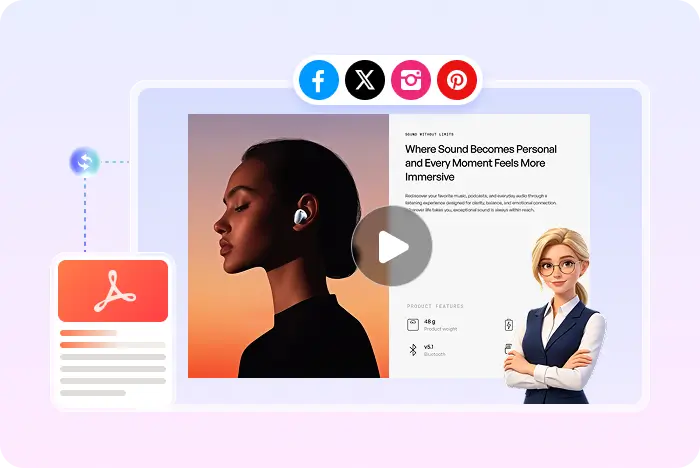
Async pitch, same slides

How to Turn a Pitch Deck into a Video

A live pitch needs a calendar. A pitch-deck video lets someone watch the story when they have ten minutes. Recastia uses your exported slides as the picture and can add AI voiceover for the narrative you already tell in the room.

  • Keep the deck design investors already saw
  • Send a watchable MP4 after the meeting
  • Add voiceover without booking another call

Start with a free Recastia account.

Spoken pitch MP4 download
Follow-up that still looks like the deck

Why turn a pitch deck into a video?

After a meeting, a PDF attachment competes with everything else in the inbox. A short narrated deck can replay the problem, product, and ask without another Zoom.

01

The slides are the brand

Pitch decks are designed on purpose. Recastia keeps those pages on screen instead of replacing them with generic stock scenes.

  • Export PPT, PPTX, or Google Slides as PDF
  • Select the slides that belong in the async version
  • Skip rebuilding the storyboard
Pitch slides used as frames in a Recastia video
02

Tell the verbal story once

Write a 200+ word script in Easy Mode that matches how you actually pitch: problem, proof, traction, ask. Recastia can voice that script and add captions for muted playback.

  • AI voiceover, no extra recording setup
  • Optional talking-head avatar
  • MP4 for email or data rooms
AI Video Narrate the pages
Voiceover Captions Music Visual effects Optional avatar
Deck to follow-up clip

How to turn a pitch deck into a video

For the full slide-converter page, open the PPT to video converter.

  1. Export a pitch deck as PDF
    Step 1

    Export the deck as PDF

    Save the PowerPoint or Google Slides pitch as PDF so Recastia can upload each slide as a page.

  2. Write a spoken pitch script for selected slides
    Step 2

    Select slides and write the spoken pitch

    Choose at least three slides in Easy Mode and add 200+ words that sound like your live narrative, not a paste of every bullet.

  3. Download a pitch-deck video as MP4
    Step 3

    Generate the MP4 for async follow-up

    Add captions, optional avatar, and effects. Download the MP4 or share a Recastia link after the meeting.

Questions, answered

Pitch deck to video FAQ

Need to compare account options? View Recastia pricing.

How do I turn a pitch deck into a video?

Export the deck as PDF, upload it to Recastia, add a spoken script in Easy or Advanced, then download an MP4.

Should every slide go into the video?

Only if you want that length. Easy Mode requires at least three pages. A shorter async version often lands better than the full 20-slide live deck.

Can I add a talking head?

Yes. The AI avatar is optional if you want a presenter beside the slides.

What file do I send?

An MP4, or a Recastia share link. This page does not promise MOV or other containers.

Is it free?

You can start with a free Recastia account. Check pricing if you need more capacity.

Same deck. Watchable follow-up.

Turn the Pitch Deck into a Video for Async Sales

Export the slides, add the spoken story, then send an MP4 when nobody can take another live meeting.

Pitch Deck Video Example