
ngram product overview

ngram: Document to Video Generator

ngram turns documents, screenshots, and recordings into polished, on-brand videos for product and marketing teams. This independent overview compares its production-led approach with Recastia's workflow for keeping an uploaded PDF or PowerPoint central to the finished video.

  • See what the official ngram product page describes
  • Compare its workflow with document-first video creation
  • Create a narrated video from your own PDF or PowerPoint

Independent overview. Recastia is not affiliated with ngram.

AI narration MP4 export
Brand overview

How does ngram turn source material into video?

ngram presents an AI-assisted production process that scripts, storyboards, and produces videos from existing business material for review and delivery.

01

Built for polished product and marketing video

The public ngram homepage says teams can describe what they need and use documents, screenshots, or recordings as inputs. ngram then helps script, storyboard, and produce an on-brand result for the team to review and ship.

  • Start from docs, screenshots, or recordings
  • Generate scripts and storyboards
  • Review and ship an on-brand video

Source: ngram official website. Reviewed August 27, 2026.

AI Video Production Brand-led workflow
Brief Storyboard Produce Review
02

Where Recastia takes a different path

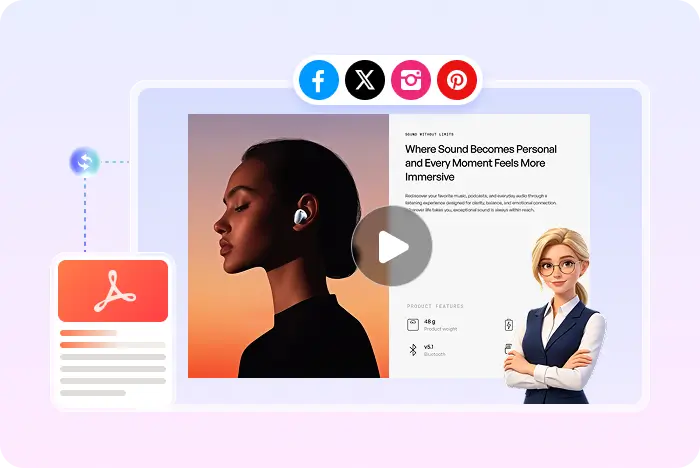
Recastia begins with the PDF or PowerPoint you already created. It keeps document pages, visuals, and key information central while adding the guidance needed for a publishable video.

  • AI-generated script, natural voiceover, and synced captions
  • Background music, visual effects, and an optional avatar
  • Preview, MP4 download, online publishing, and sharing
A PDF repurposed as a narrated Recastia video
Two different outcomes

ngram and Recastia: compare the workflows

ngram focuses on Polished, on-brand product and marketing video production. Recastia focuses on repurposing an existing document into a video that can be downloaded, published, and shared.

Decision point
ngram
Recastia
Primary purpose
ngramPolished, on-brand product and marketing video production
RecastiaRepurpose PDFs and presentations into publishable videos
Starting point
ngramA brief plus documents, screenshots, and recordings
RecastiaAn existing PDF or PowerPoint
Typical audience
ngramProduct marketing and content teams
RecastiaMarketing, training, sales, education, and content teams
Document treatment
ngramUses source material to produce a new branded video narrative
RecastiaKeeps document pages, visuals, and key information central
Publicly described controls
ngramThe reviewed homepage emphasizes scripting, storyboarding, production, and review
RecastiaNatural AI voiceover, synced captions, optional avatar, music, and effects
Output and sharing
ngramPolished product and marketing videos prepared for team delivery
RecastiaMP4 download, preview, online publishing, and sharing

This comparison uses the public ngram page linked above. Features not described there may still exist, so verify current product details before making a final decision.

Choose ngram for

Branded product and marketing videos

Choose ngram when your team wants an AI production partner for scripting, storyboarding, and turning mixed business assets into a polished branded video.

Choose Recastia for

Document-based video publishing

Use Recastia when you want to turn a PDF or presentation into a narrated video for training, marketing, sales, lessons, reports, and sharing.

Explore the PDF to video workflow
A document-first workflow

How to turn a PDF into a video with Recastia

Use your existing document, add the presentation details you need, and generate a video you can preview, download, publish, or share.

  1. Upload a PDF or PowerPoint to Recastia
    Step 1

    Upload your document

    Start with a PDF or PowerPoint and choose Minimal, Easy, or Advanced video generation mode.

  2. Choose document pages and prepare the video narration
    Step 2

    Prepare the story

    Choose the pages to show and add or refine the narration. Easy Mode requires a script of at least 200 words.

  3. Generate, preview, download, and share a Recastia video
    Step 3

    Style, generate, and share

    Choose the ratio, effects, voice, captions, music, and optional avatar, then generate, preview, download, or share the video.

Questions, answered

ngram PDF to video FAQ

Want to check Recastia account options? View Recastia pricing.

What is ngram?

ngram presents an AI-assisted production process that scripts, storyboards, and produces videos from existing business material for review and delivery. The public ngram homepage says teams can describe what they need and use documents, screenshots, or recordings as inputs. ngram then helps script, storyboard, and produce an on-brand result for the team to review and ship.

Is ngram a PDF-to-video generator?

ngram says it can turn docs, screenshots, and recordings into video. The reviewed homepage uses the broad term “docs” rather than spelling out every PDF import, page-selection, or export detail, so confirm the exact PDF workflow inside ngram.

What is the main difference between ngram and Recastia?

ngram focuses on Polished, on-brand product and marketing video production. Recastia focuses on keeping an existing PDF or PowerPoint central to a narrated video with synced captions, effects, an optional presenter, and MP4 export.

When should I choose ngram?

Choose ngram when your team wants an AI production partner for scripting, storyboarding, and turning mixed business assets into a polished branded video.

Does Recastia keep the original PDF content?

Recastia uses the uploaded PDF as the source for the video, keeping its pages, visuals, and key information at the center of the video flow. This helps you repurpose material you already created instead of rebuilding each scene in a traditional video editor.

Can Recastia add voiceover and captions?

Yes. Recastia supports an AI-generated script, natural voiceover, synced captions, background music, visual effects, and an optional AI avatar presenter. You can configure the presentation before generating and previewing the finished PDF or PowerPoint video.

Can I download the finished Recastia video?

Yes. Recastia can export the finished project as an MP4 file. You can also preview the result, publish it online, share it with a link, or embed it. This page does not promise MOV, MPEG, WMV, or other unverified download formats.

Is Recastia affiliated with ngram?

No. Recastia is an independent product and is not affiliated with, endorsed by, or sponsored by ngram. Product details on this page are based on publicly available information from the official ngram website.

Keep your document at the center

Turn Your PDF into a Shareable Video

Add narration, captions, effects, and an optional presenter, then download an MP4 or share the result online.

Recastia PDF to Marketing Video Example